
Core Jumping Mechanics
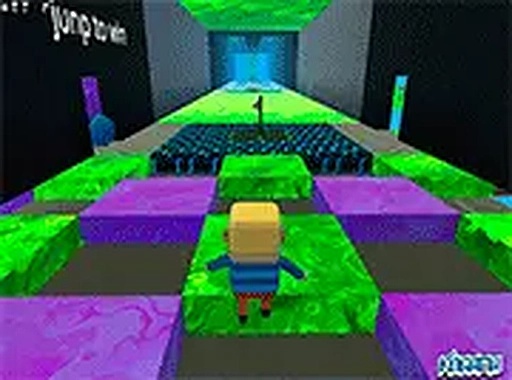
This game centers on guiding a character through a series of elevated platforms. Players use standard keyboard controls to move and jump, with the primary challenge being accurate timing and positioning. Each leap must be carefully aimed to land safely on the next surface, as missing a platform sends the character back to the start of the section. The controls are responsive and straightforward, allowing players to focus on the spatial puzzles presented by each course.
Visual Style and Atmosphere
The world is constructed from bright, saturated colors and simple geometric shapes. Platforms, obstacles, and collectible items are clearly distinguished against the background, making it easy to read the environment at a glance. This clean visual design supports the fast-paced gameplay by reducing visual clutter. The cheerful aesthetic is well-suited for younger players and creates a welcoming atmosphere for repeated play.
Collectible Items and Progression
Scattered throughout each course are small, glowing crystals and coins. Gathering these items is essential for unlocking new stages. The placement of these collectibles often encourages players to take slightly riskier paths or time their jumps more carefully, adding a layer of strategic choice to the basic platforming. Efficient collection routes can be learned and refined with practice.
Multiplayer and Competition
The game supports racing against friends or other players in real-time. This competitive element transforms the solo platforming challenge into a shared experience, where players can see each other's progress and attempt to outperform one another. The multiplayer mode adds significant replay value, as each course can be approached with different strategies when racing against others.
Accessibility and Performance
Being a browser-based game, it runs on most modern computers without any installation. The graphics are optimized for smooth performance, even on less powerful hardware. Full-screen mode is available for a more immersive view. The simple control scheme and forgiving restart mechanics make it accessible to players of various skill levels, while the precision required for advanced courses offers a challenge for experienced players.








Comments
0 comments