
Event Themes and Design Goals
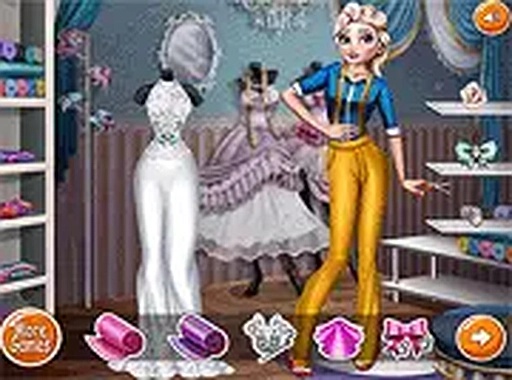
Style Studio: Fashion Designer presents players with three distinct events, each requiring a different approach to outfit creation. One event might call for a formal evening look, while another suits a relaxed daytime gathering. The third event could involve a special celebration theme. Players consider the mood and setting of each occasion before selecting garment shapes, fabric patterns, and color schemes that fit the vibe. This structure encourages thoughtful decision-making about how clothing communicates personality and appropriateness for different social contexts.
Customization Tools and Options
The game provides a straightforward interface where players can pick from multiple dress silhouettes, ranging from fitted to flowing styles. A palette of colors allows for solid hues or gradient effects, while pattern options include stripes, florals, and geometric designs. Decorative elements such as ribbons, buttons, and small gems can be placed on the garment to add detail. Players adjust the size and position of each accessory using simple drag-and-drop controls, enabling precise placement without complicated menus.
Creative Freedom Without Pressure
There are no timers, scores, or wrong choices in Style Studio: Fashion Designer. Players can experiment freely, trying out different combinations and undoing changes instantly if a design doesn't work. This relaxed environment makes the game suitable for players of all ages who want to explore fashion design without stress. The focus remains on personal expression rather than competition, allowing each player to develop their own unique aesthetic at their own pace.
Accessibility and Platform Support
Built using standard web technologies, the game runs directly in a browser on both desktop computers and mobile devices. No software installation or account creation is required to start playing. A full-screen mode is available for those who prefer an immersive view, and the interface scales appropriately to different screen sizes. This cross-platform compatibility means players can switch between devices without losing their progress, as designs are saved locally during a session.






Comments
0 comments