
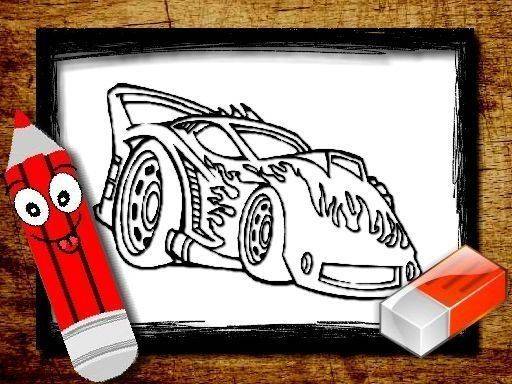
Getting Started with Coloring
When you first open the game, you will see a selection of car outlines to choose from. Each outline is a simple drawing with clear sections ready for color. After selecting a design, a palette of shades appears on the screen. You pick a color, then click or tap on any section to fill it. The process is immediate and requires no special tools or downloads. This straightforward setup means anyone can begin creating right away.
Tools and Color Options
The color palette includes a wide range of shades, from bright primary colors to softer pastels. You can switch between colors at any time, even after filling a section. This flexibility lets you experiment with different combinations and correct any choices you want to change. The brush tool is the main interface element, and it responds to both mouse clicks and touch inputs. Whether you are using a desktop computer, a tablet, or a phone, the controls remain consistent and easy to use.
Designing at Your Own Pace
There are no timers, scores, or levels to worry about. You can spend as much time as you like on a single design, or finish several in one session. The absence of pressure encourages you to try new color pairings and shading techniques. Some players prefer to start with lighter colors and build up to darker tones, while others jump straight into bold contrasts. The game supports both approaches equally well.
Accessibility Across Devices
Because the game runs entirely in a web browser, there is no need to install any software. It works on Windows, macOS, Android, and iOS devices. The interface automatically adjusts to different screen sizes, so the coloring areas remain easy to see and tap on smaller screens. This cross-platform compatibility makes it a convenient choice for families who use various devices throughout the day.
Creative Benefits and Relaxation
Activities like this one are known to help reduce stress and improve focus. The repetitive motion of selecting and filling colors can be calming, similar to traditional coloring books. For children, it also helps develop fine motor skills and color recognition. Adults often use it as a quick mental break during a busy day. The car theme adds an extra layer of interest for those who enjoy vehicles, but the creative process is the main draw.
Saving and Sharing Your Work
Depending on the platform you are using, the game may offer options to save your completed artwork as an image file. Some versions also allow you to share your creations directly to social media or via email. This feature lets you keep a gallery of your work or show it to friends and family. Even without these options, the act of coloring itself remains the primary reward.








Comments
0 comments