
Simple Creative Process
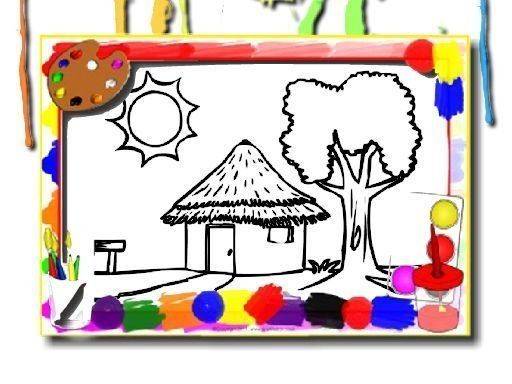
Colorful Home Art Studio offers a straightforward way to make digital art. You begin by picking an image from a varied collection that includes houses, flowers, and decorative patterns. After selecting a brush size, you choose a color from the palette and tap or click the area you want to fill. The color spreads instantly, and you can switch between shades as often as you like. Smaller brushes let you add fine details, while larger ones cover broad spaces quickly. The controls respond to both mouse and touch input, so the experience feels natural whether you are on a computer, tablet, or phone.
Relaxed Atmosphere
This game removes all pressure from the coloring process. There are no timers, no scoring systems, and no competitive elements. You can work at your own pace, take breaks whenever you want, and return to your artwork later because progress saves automatically. The environment is designed to be quiet and welcoming, making it suitable for anyone who wants to unwind after a busy day. Many players find that focusing on simple color choices helps clear their mind and reduce stress.
Image Variety and Tools
The image library features a range of subjects that appeal to different tastes. You will find cozy house scenes, blooming flower arrangements, and intricate geometric patterns. Each image offers a different level of detail, so beginners can start with simpler outlines while more experienced colorists can tackle complex designs. The palette includes dozens of colors, from soft pastels to vibrant brights, giving you plenty of room to experiment. An undo and redo function lets you correct mistakes or try alternative color combinations without starting over.
Accessibility and Family Use
Colorful Home Art Studio runs entirely in a web browser with no downloads or installations required. This makes it easy to access from any device with an internet connection. The interface is clean and uncluttered, so even young children can navigate the options without confusion. Because there are no ads or in-app purchases, the experience remains uninterrupted and safe for all family members. Parents can feel confident letting their kids explore this creative space independently.
Personal Expression
The core appeal of this activity lies in its openness. There are no right or wrong ways to color a picture. You might choose realistic shades for a house or go wild with neon colors for a flower. The game encourages you to follow your own instincts and enjoy the process of making something that reflects your mood. This freedom makes each session unique and helps build confidence in artistic decision-making, even for those who do not consider themselves artists.









Comments
0 comments