
Game Introduction
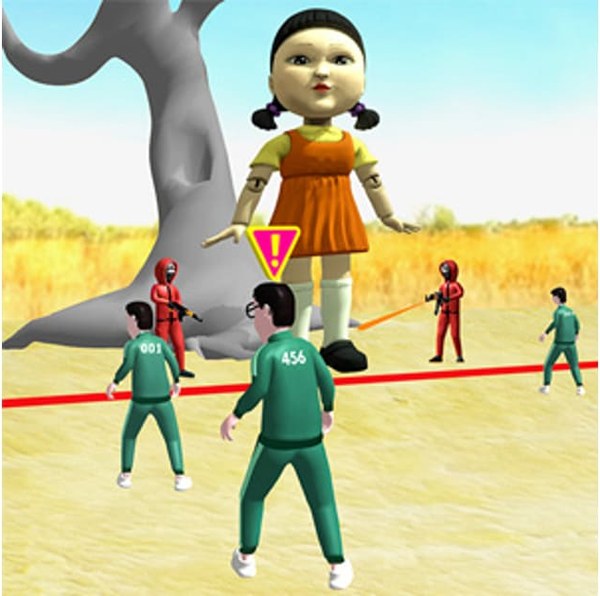
Traffic Light Dash Racing transforms the familiar playground game into an engaging online experience. The core objective is straightforward: advance when the signal shows green and come to a complete halt when it turns red. Any movement during a red light means starting over from the beginning. The game presents a series of maps, each filled with hazards such as rolling spheres and sudden gaps in the path. As players progress, the pace increases, demanding sharper focus and quicker reactions. This game appeals to those who enjoy testing their reflexes and maintaining concentration under time pressure. The simple premise combined with escalating difficulty creates a compelling challenge for players of all ages. The game is designed to be accessible, requiring no prior experience or special skills to start playing. It offers a safe, non-violent environment where the primary challenge is self-control and timing. The thrill comes from mastering the balance between speed and caution, making each successful run feel rewarding. The game's structure encourages repeated attempts, as players learn from each mistake and refine their approach. The increasing speed ensures that the game remains engaging even after multiple playthroughs, providing a steady progression of difficulty that keeps players coming back for more.
How to Play
Players control a character that moves along a straight path toward a finish line. The key mechanic involves responding to a traffic light that alternates between green and red. When the light is green, the character moves forward automatically or with player input. When the light turns red, the character must stop immediately. Failure to stop results in a restart from the beginning. The path also contains obstacles like rolling spheres that can push the character off course and gaps that require precise timing to cross. Players must watch the light and the road ahead simultaneously to succeed. The controls are simple and intuitive, typically involving a single button or key to move, with stopping handled automatically when the light is red. The game rewards careful observation and quick decision-making rather than complex inputs. Each round presents a new configuration of obstacles and light timing, ensuring variety. The game may include a practice mode or tutorial to help new players understand the basic mechanics before attempting the full challenge.
Game Features
Traffic Light Dash Racing includes several features that enhance the gameplay experience. The game offers multiple maps, each with a unique layout and set of obstacles. The obstacles include rolling spheres and gaps that require careful timing to avoid. The game's speed increases progressively, adding to the challenge and excitement. The graphics are designed to be clear and colorful, making it easy to see the traffic light and obstacles. The controls are simple and responsive, allowing players to focus on the gameplay. The game is suitable for all ages, providing a family-friendly experience without any violent or inappropriate content. The game may include a scoring system that tracks progress and encourages players to improve their performance. The game is designed to be replayable, with each round offering a new combination of elements. The game may also include sound effects that provide audio cues for the traffic light changes, adding to the immersion.
Tips for Success
Focus on the traffic light and try to anticipate when it will change. Start moving immediately when the light turns green to gain an advantage. When approaching a red light, stop as early as possible to avoid any accidental movement. Learn the location of obstacles on each map to plan your route. Practice regularly to improve your reaction time. Stay calm and avoid rushing, especially during faster rounds. Patience and consistency are more important than speed.









Comments
0 comments