
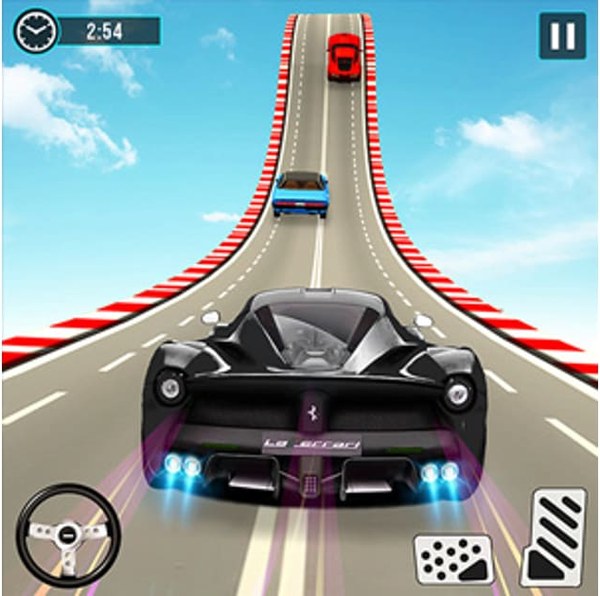
Game Introduction
Highway Navigator 3D Driving Challenge is a driving simulation that focuses on careful navigation through busy traffic. The core objective is to guide your vehicle from the starting point to the destination without incident. What sets this game apart is the setting: a narrow road carved into a mountainside, with a steep drop on one side and a rock face on the other. This creates a constant need for balanced steering. The game uses three-dimensional graphics to provide a sense of depth and speed, making each journey feel immersive. As you progress, the traffic becomes denser and moves faster, requiring sharper focus and quicker decisions. It is designed to be a wholesome activity that sharpens concentration and promotes calm, measured responses. The experience is suitable for players of various ages who enjoy a test of precision and patience.
How to Play
Players control their car using simple directional inputs to move left or right. The primary goal is to steer around other vehicles that appear on the road. Because the path is narrow, overcorrecting can lead to going off the road. The game rewards smooth, gentle adjustments rather than sudden jerks. Each successful navigation past traffic earns progress toward the next stage. The difficulty gradually increases, introducing more vehicles and tighter spaces. The controls are designed to be intuitive, so new players can start immediately without a lengthy tutorial. The challenge lies in maintaining steady control under increasing pressure.
Game Features
The game offers an immersive three-dimensional driving environment. It includes a progression system where each level presents a greater challenge with more obstacles and faster traffic. This structure helps players build their reaction time and concentration over repeated attempts. The visual design is clean and family-friendly, with no graphic content. Sessions can be short for quick breaks or extended for longer play. The game is accessible on various devices, allowing for convenient play anywhere. It focuses on a single, clear objective: navigate safely to the finish line.
Tips for Success
Maintain a steady pace and avoid abrupt steering inputs. Look ahead to anticipate upcoming traffic patterns. Practice regularly to improve your timing and spatial awareness. If you feel tense, take a short break to reset your focus. Each run provides useful experience that helps you understand the road layout and traffic flow better.










Comments
0 comments