Bus Jam Puzzle: Color Match

Developer: Zip Ember Games
Published: 2025-05-10
Updated: 2026-07-04
Bus Jam Puzzle: Color Match
Play Now - It's Free

Review

Bus Jam Puzzle: Color Match is a delightful puzzle game that combines simple tap controls with increasingly challenging levels. The lack of time limits makes it a stress-free experience, while the colorful graphics keep it visually appealing. It is perfect for quick breaks or longer sessions, and it is safe for the whole family.

About This Game

Game Introduction

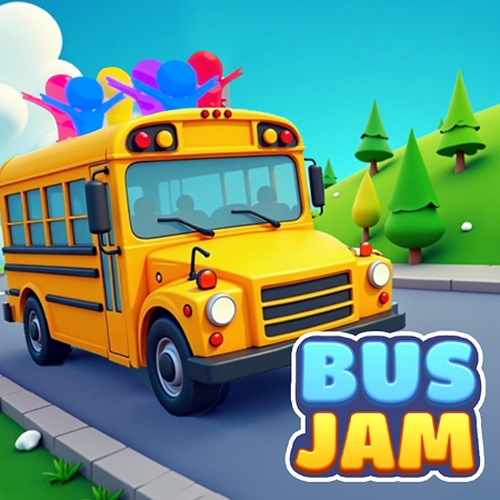
Bus Jam Puzzle: Color Match is a charming puzzle game that puts you in control of a busy traffic jam. Your goal is to tap on buses in the correct order to clear the grid and let them exit. Each level presents a new arrangement of vehicles, requiring careful planning and logical thinking. The game is designed for all ages, with no time limits or pressure, so you can play at your own pace. Developed by Playgama, this game offers a relaxing yet stimulating experience that is perfect for quick play sessions or longer gaming breaks. The colorful graphics and intuitive controls make it easy to pick up, but the puzzles become more challenging as you progress, keeping you engaged.

How to Play

To play Bus Jam Puzzle: Color Match, simply click or tap on a bus to select it. The bus will move if there is a clear path. Your goal is to find the correct sequence of taps to clear all buses from the grid. Each level has a specific order to follow, and you must plan your moves carefully to avoid getting stuck. The controls are straightforward, and there are no complex rules to learn. As you advance, the puzzles require more strategic thinking, but the game remains accessible to players of all skill levels. Just click the big play button to start, and enjoy a safe, family-friendly gaming experience.

Game Features

Fun, family-friendly puzzle gameplay. Colorful graphics and intuitive controls. No time limits or pressure. Increasing difficulty with strategic challenges. Suitable for all ages.

Tips for Success

Take your time to observe the entire grid before making a move. Look for buses that have a clear path to the exit and plan your sequence carefully. If you get stuck, try retracing your steps or starting over with a fresh perspective. Practice regularly to improve your logical thinking and pattern recognition. Remember, there is no rush—enjoy the process of solving each puzzle at your own pace.


Compatibility

This H5 game runs smoothly on:
• Desktop computers (Windows / Mac) • Mobile phones (iPhone / Android)
• Tablets (iPad / Android)
🌐 Best experienced with Chrome, Safari, or Edge

Faq

Is Bus Jam Puzzle: Color Match free to play?
Yes, Bus Jam Puzzle: Color Match is free to play. There are no hidden fees or subscriptions required to enjoy the full game. You can start playing immediately without any payment.
Can I play Bus Jam Puzzle: Color Match on mobile devices?
Yes, Bus Jam Puzzle: Color Match is designed to be played on both desktop and mobile devices. The controls are touch-friendly, so you can tap on buses easily on your smartphone or tablet.
Does Bus Jam Puzzle: Color Match have in-app purchases?
Bus Jam Puzzle: Color Match may include optional in-app purchases for hints or cosmetic items, but these are not required to progress. The core game is fully playable without spending money.
How many levels are in Bus Jam Puzzle: Color Match?
Bus Jam Puzzle: Color Match offers a large number of levels, each with a unique vehicle arrangement. The exact number of levels is not specified, but new puzzles are regularly added to keep the experience fresh.
Is Bus Jam Puzzle: Color Match suitable for young children?
Yes, Bus Jam Puzzle: Color Match is suitable for young children. The game has no violent content, no time limits, and uses colorful graphics. It helps develop logical thinking and problem-solving skills in a safe environment.
Can I play Bus Jam Puzzle: Color Match offline?
Bus Jam Puzzle: Color Match is primarily an online game, but some versions may offer limited offline play. For the best experience, an internet connection is recommended to save progress and access new levels.